

Chapter 7 | 4 min read
Live Market Terminal Orders
Placing orders accurately and efficiently is crucial for successful trading. Whether you're investing for the long term or trading intraday, understanding how to place orders can significantly impact your trading outcomes. This chapter will guide you through the process of placing orders, using this Live Terminal as an example.
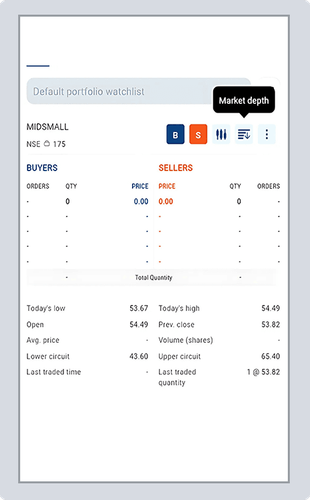
First, let us look at how to place an order for investing purposes. The above image shows the order placement interface for MIDSMALL, an [ETF].
Step-by-Step Guide for Investing Orders
-
Selecting the Security: In the Live Terminal, you start by selecting the security you want to trade. For this example, we have chosen MIDSMALL, which is currently trading at 53.82. This information is prominently displayed at the top of the screen.
-
Quantity and Selling Price: The next step is to enter the quantity of shares you want to sell and the selling price. Here, we have specified a quantity of 1 share, with a selling price set at 53.82. It is important to ensure that these details are accurate, as they determine the scope and potential return of your trade.
Order Type:
- Limit Order: This type of order allows you to specify the price at which you want to sell the stock. The order will only be executed at this price or better. This is useful for ensuring you get the desired price.
- Market Order: A market order will sell the stock at the current market price. This type of order is executed immediately but does not guarantee a specific price.
- Stop-Loss Limit Order (SL-LMT): This is a two-part order that specifies a stop price and a limit price. Once the stop price is reached, the order becomes a limit order to sell at the limit price or better.
- Stop-Loss Market Order (SL-MKT): Like the SL-LMT, once the stop price is reached, the order becomes a market order and is executed at the current market price.
Product Type:
- Cash: Known as Cash and Carry (CNC), this option allows you to buy shares with the funds available in your account and hold them in your Demat account. This is typically used for long-term investments.
- NRML: Normal margin order for positional trading. This type allows you to trade with margin and hold the position overnight.
- Pay Later: This facility allows you to buy now and pay later, enabling you to leverage your investments without immediate full payment.
-
Advanced Options: If you have specific preferences for how your orders should be handled, you can set these as default. Advanced options include order duration (such as 'Day' or 'Immediate or Cancel (IOC)') and disclosure quantity. Setting these preferences can streamline your trading process.
-
Estimated Charges: Before placing your order, it’s important to review the estimated charges. These include brokerage fees, taxes, and other applicable charges. While not visible in the screenshot, this section is crucial for understanding the total cost of your trade and ensuring it aligns with your investment strategy.
-
Placing the Order: Once you have reviewed all the details, click on the 'Sell' button to place your order. The platform will confirm your order, and you can monitor its status in the order book.
Now, let us look at how to place an intraday order. Intraday trading involves buying and selling stocks within the same trading day. The image above shows the order placement interface for intraday trading of MIDSMALL.
Product Type:
- MIS (Margin Intraday Square-off): This product type allows you to trade intraday using margin. All positions will be squared off automatically before market close.
- Cover Order: A market order with an in-built stop-loss order. This type of order helps limit your losses while providing potential upside.
- Bracket Order: An advanced order type that includes three legs: an initial order, a target order to lock in profits, and a stop-loss order to limit potential losses. It helps manage risk and reward more effectively.
Advanced Options: You can set these as default if you have specific preferences for order handling, such as order duration and disclosure quantity. This customization can save time and ensure consistency in your trading approach.
Estimated Charges: Review the estimated charges before placing your order. This section includes brokerage fees and other applicable charges, providing a clear picture of the cost involved in the trade.
Placing the Order: After reviewing all the details, click on the 'Sell' button to execute your order. The platform will confirm your order, and you can track its status in real time.
Conclusion
By understanding the different types of orders and product types, you can execute your trades accurately and achieve your trading goals. Placing orders on the Live Terminal is designed to be user-friendly and efficient. Follow these detailed steps to ensure your orders are placed correctly, helping you stay on top of market trends and make informed investment decisions.
Recommended Courses for you















Learn, Invest, and Grow with Kotak Videos
Explore our comprehensive video library that blends expert market insights with Kotak's innovative financial solutions to support your goals.

Trading with collateral as margin with Kotak Neo

How India is Redefining Space Exploration

